Web Community
Introduction
The Octopus Web Community boosts brand visibility by indexing user-generated content for search engines
and driving community-led SEO.
It provides a seamless, read-only web mirror of your in-app community, allowing non-app users to discover your best content. To keep engagement focused within your ecosystem, interactive features like posting and voting are reserved for the mobile app; web visitors are prompted via QR code to download the app and join the conversation.
The Web Community feature only needs a simple DNS configuration to work, follow the steps below to enable it.
Integration steps
-
Choose the custom domain name you want to use — It must be a domain you own and control (e.g.,
community.yourbrand.com) -
Request Feature Activation - Contact us at contact@octopuscommunity.com with your chosen domain. We will provide a temporary staging URL used for development and customization similar to
yourbrand.webapp.8pus.io -
Customize the webmirror theme - Use the staging link to customize the webmirror theme locally
-
Send us your customization file - Once you are satisfied with your local setup, send us the configuration file so we can deploy your theme it and make it available to all visitors
-
Configure DNS records - After we apply your theme, we will provide you with DNS records to configure for your custom domain. Add the provided records to your DNS configuration. Example configuration:
community.yourbrand.com           IN    CNAME  yourbrand.webapp.8pus.io
_<token>.community.yourbrand.com  IN    CNAME  _<token>.acm-validations.aws   (for SSL certificate validation)
Your customized website will now be accessible via your custom domain.
Theme integration
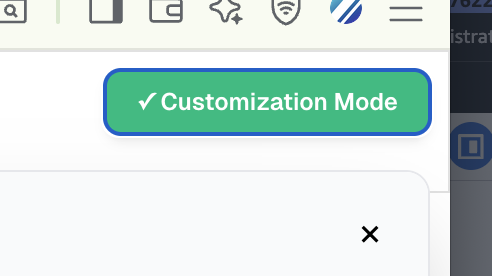
To enable the integration mode press CTRL + SHIFT + D when you are on the webmirror page. You should see a button appear on the top right corner
Click on it to see all the customization options available.
Once you have finished customizing the theme, click on the "Export All" and send us the downloaded file.